
5 Free Online Quiz Makers for Teachers
Discover 5 free online quiz makers for teachers. Compare Kahoot!, uPresenter, Wayground, Wordwall, and Blooket to find the right tool for your classroom.
 Linh Huong Ho7 min read
Online quizzes help teachers assess students' understanding, spark their interest, and make lessons more engaging. Instead of relying solely on paper-based tests, teachers can create interactive quizzes that incorporate images, audio, and engaging learning activities.
Today, there are many free online quiz makers available, from gamified quiz platforms to AI-powered tools for creating questions and interactive lessons. Each tool offers different features and benefits depending on your teaching goals.
In this article, we'll explore five online quiz makers, comparing their key features, advantages, limitations, and best use cases. All five offer free plans, although certain advanced features and usage limits may require a paid subscription.
1. Kahoot! - Host Live Quizzes with Leaderboards
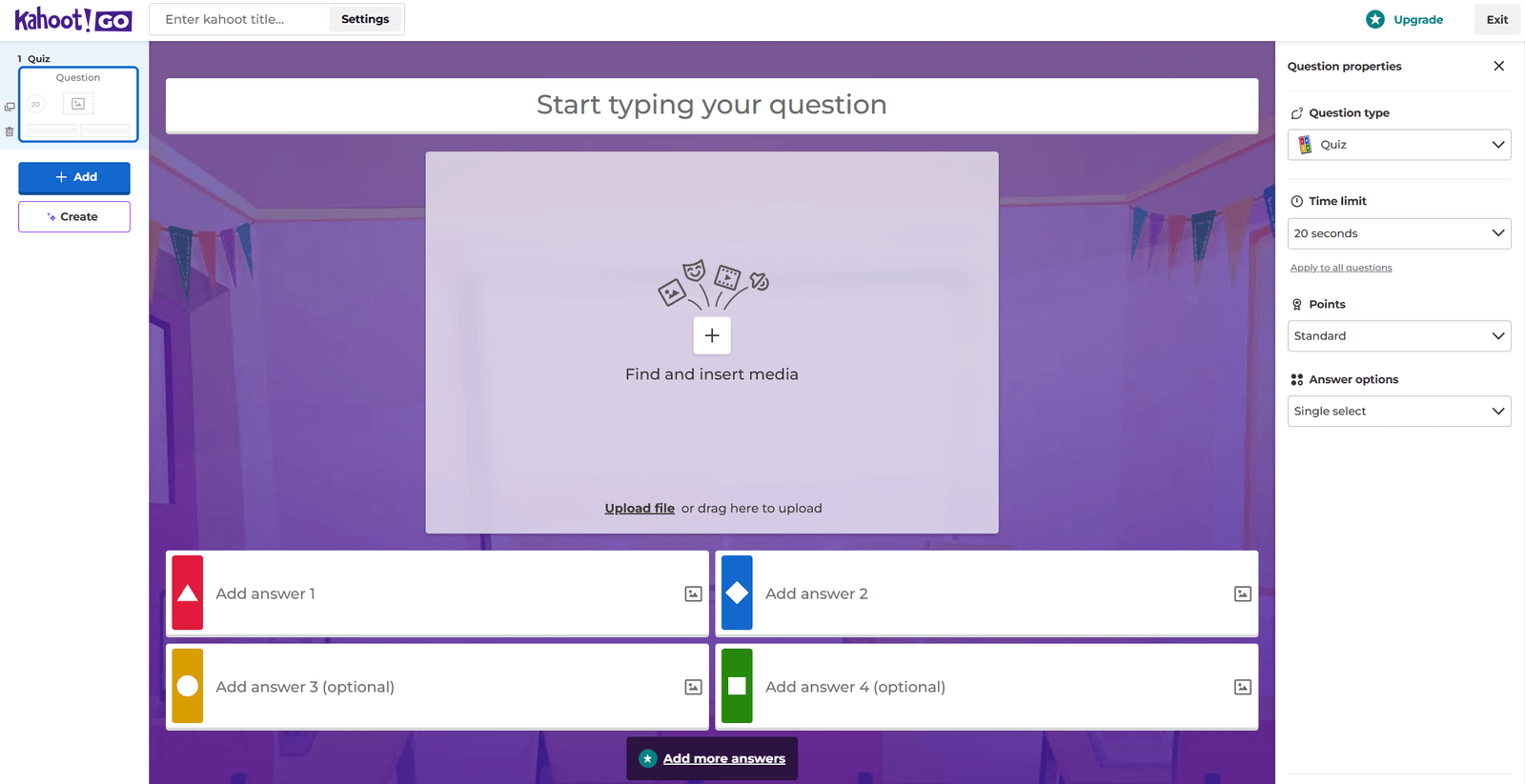
Kahoot! is a popular quiz platform in education that allows teachers to turn questions into interactive classroom games. Students join using their own devices, answer questions, and compete for points in real time.
Key Features:
- Create multiple-choice questions with images and videos.
- Host live quiz games using a game PIN.
- Display scores and leaderboards in real time.
- Explore and reuse existing quiz sets for inspiration.
Pros: Kahoot! has an intuitive, user-friendly interface that makes review sessions more engaging and encourages active classroom participation.
Cons: The free plan limits certain features and the number of participants. Its main strength lies in game-based quizzes rather than comprehensive interactive lesson authoring.
Best For: Teachers looking to run warm-up activities, review sessions, or quick knowledge checks through friendly classroom competition.
Website: https://kahoot.com/
2. uPresenter - Create AI-Powered Quizzes, Games, and Interactive Lessons
uPresenter is an interactive eLearning authoring platform that helps teachers create learning content, integrate quizzes, and track learner progress in one place.
Beyond standalone quizzes, uPresenter enables teachers to combine multimedia content with interactive activities, connecting instruction, practice, and assessment within a single learning experience.
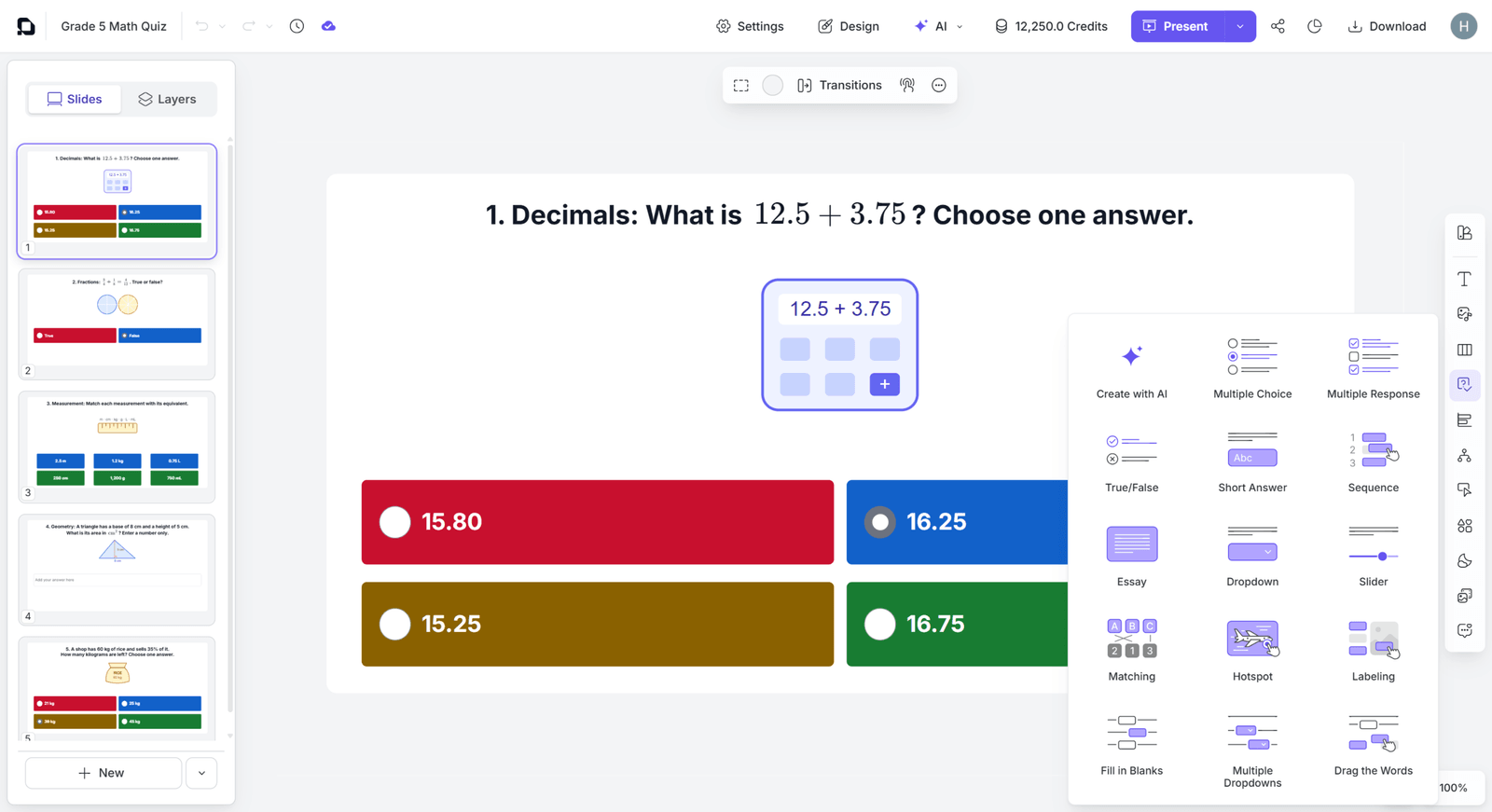
The uPresenter quiz editor offers a variety of interactive question types.
Key Features:
- AI-Powered Lesson Creation: Generate lessons from topics, prompts, or existing documents, with support for custom learning games through the uPresenter Plugin.
- 14 Interactive Question Types: Includes multiple-choice, true/false, fill-in-the-blank, matching, drag-and-drop, sequencing, and more.
- Customizable Questions: Set scores, attempt limits, and feedback for learners.
- Multimedia Lesson Design: Combine text, images, videos, and audio in slide-based or scrolling layouts.
- Learning Analytics: Share lessons and track scores, completion status, and learning activity.
- Multiple Export Formats: Export content to PNG, PDF, HTML5, SCORM, and xAPI, depending on your subscription plan.
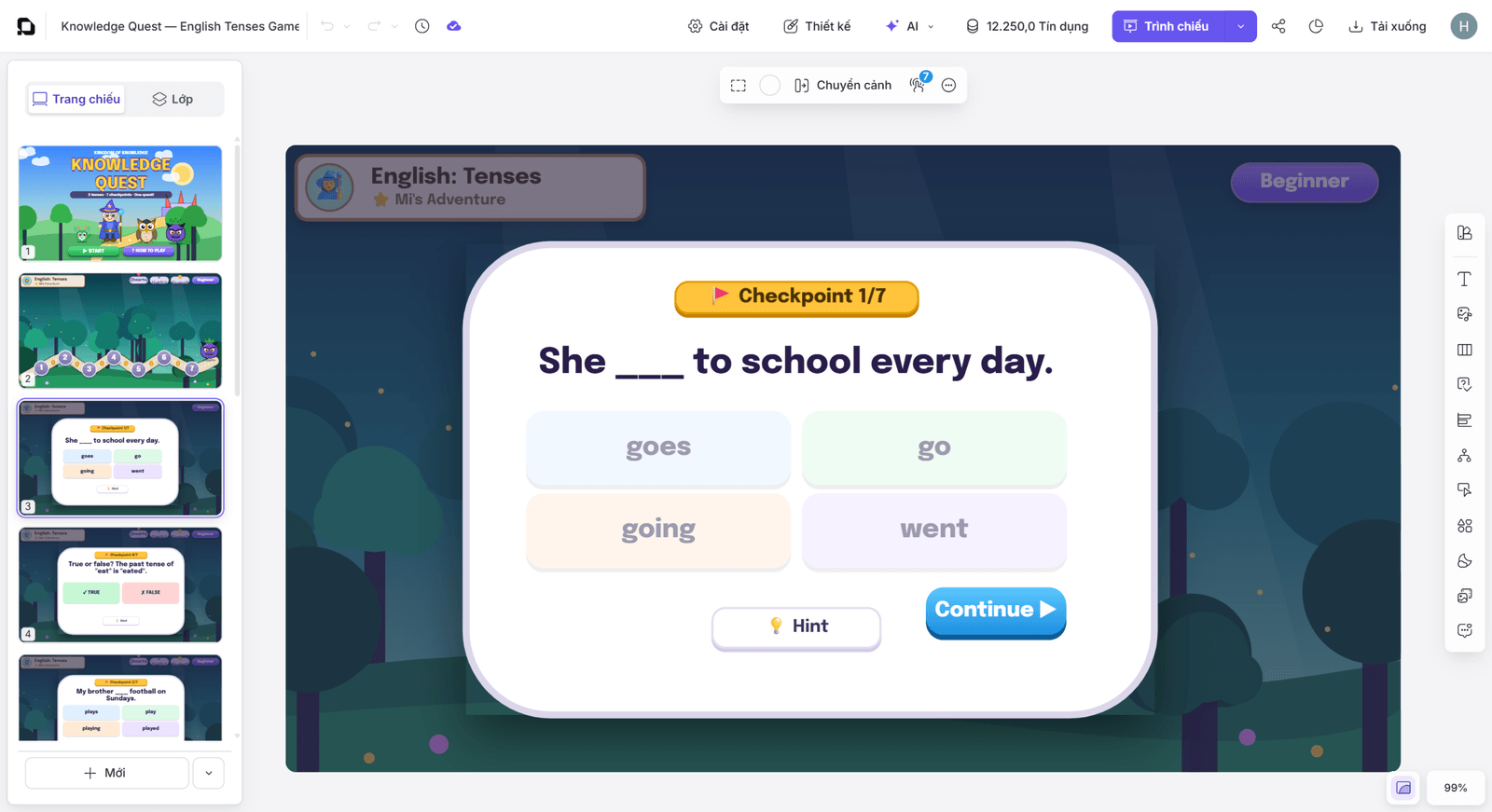
An English review game created from an AI prompt using the uPresenter Plugin.
Pros:
- Combines lesson creation, quizzes, and learner progress tracking in one platform.
- AI helps reduce preparation time.
- Multiple question types support a wider range of learning activities.
- Quizzes can be embedded directly into different sections of a lesson.
Cons: New users may need some time to explore the lesson-authoring features. Advanced functionality, detailed quiz analytics, and certain publishing options require a paid plan.
Best For: Teachers who want to create AI-powered quizzes, develop interactive eLearning lessons, and incorporate assessment activities into their teaching materials.
Explore uPresenter: https://upresenter.ai/
3. Wayground (Formerly Quizizz) - Gamified Quizzes and Assignments
Wayground, formerly known as Quizizz, helps teachers create online quizzes, assessments, assignments, and gamified learning activities.
Students can participate in live classroom quizzes or complete assignments at their own pace, giving teachers flexibility in how they organize learning activities.
Key Features:
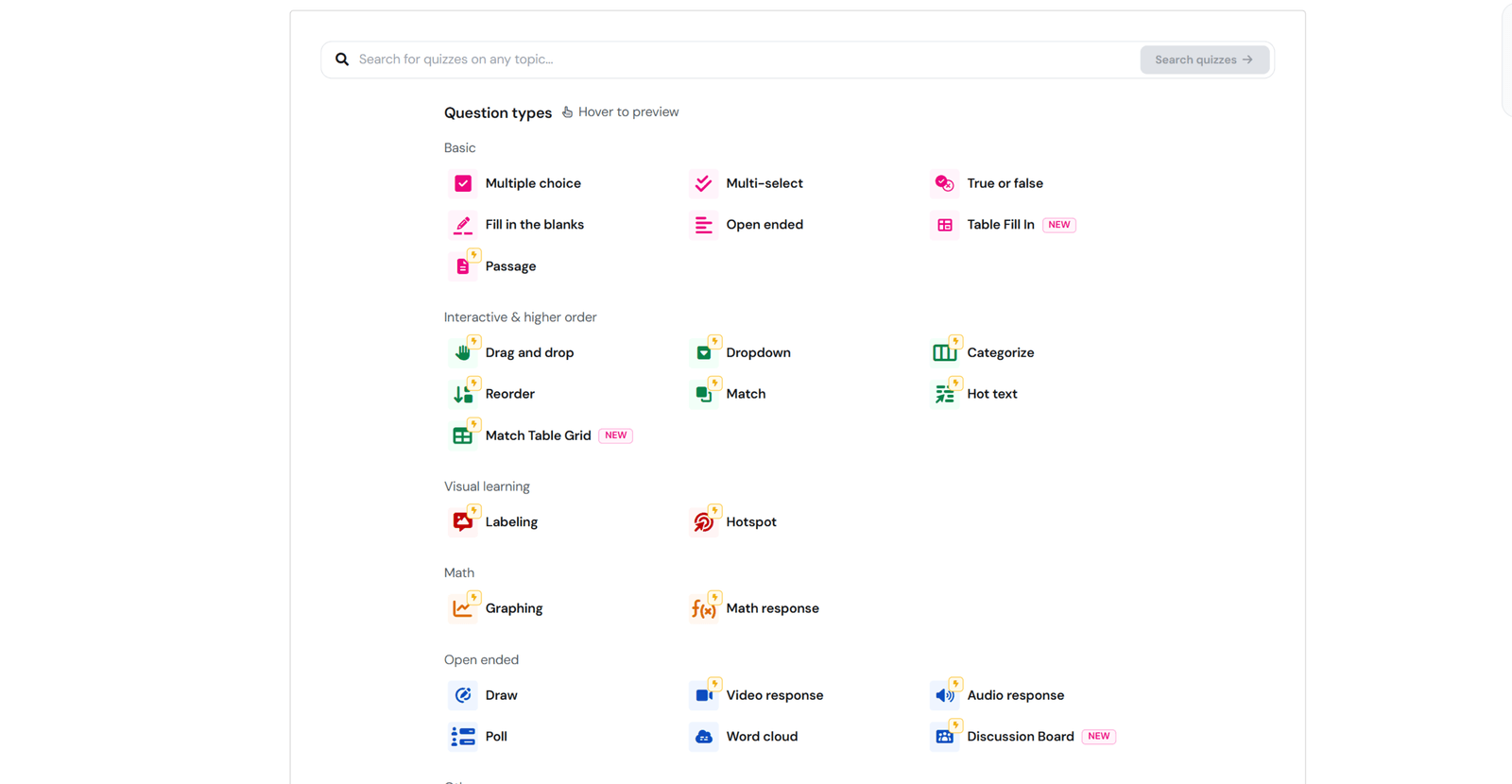
- Create assessments using different question types.
- Access a library of questions and ready-made resources.
- Host live quizzes or assign activities for independent practice.
- Track student performance through reports.
Pros: Wayground offers an engaging interface, a wide selection of ready-made resources, and flexible options for both classroom activities and homework.
Cons: Some question types, advanced features, and storage options depend on the subscription plan. Teachers may also need to balance game elements with learning objectives to keep students focused.
Best For: Teachers who want to create assessments, assign homework, and organize gamified review activities.
Website: https://wayground.com/
4. Wordwall - Create Learning Games with Ready-Made Templates
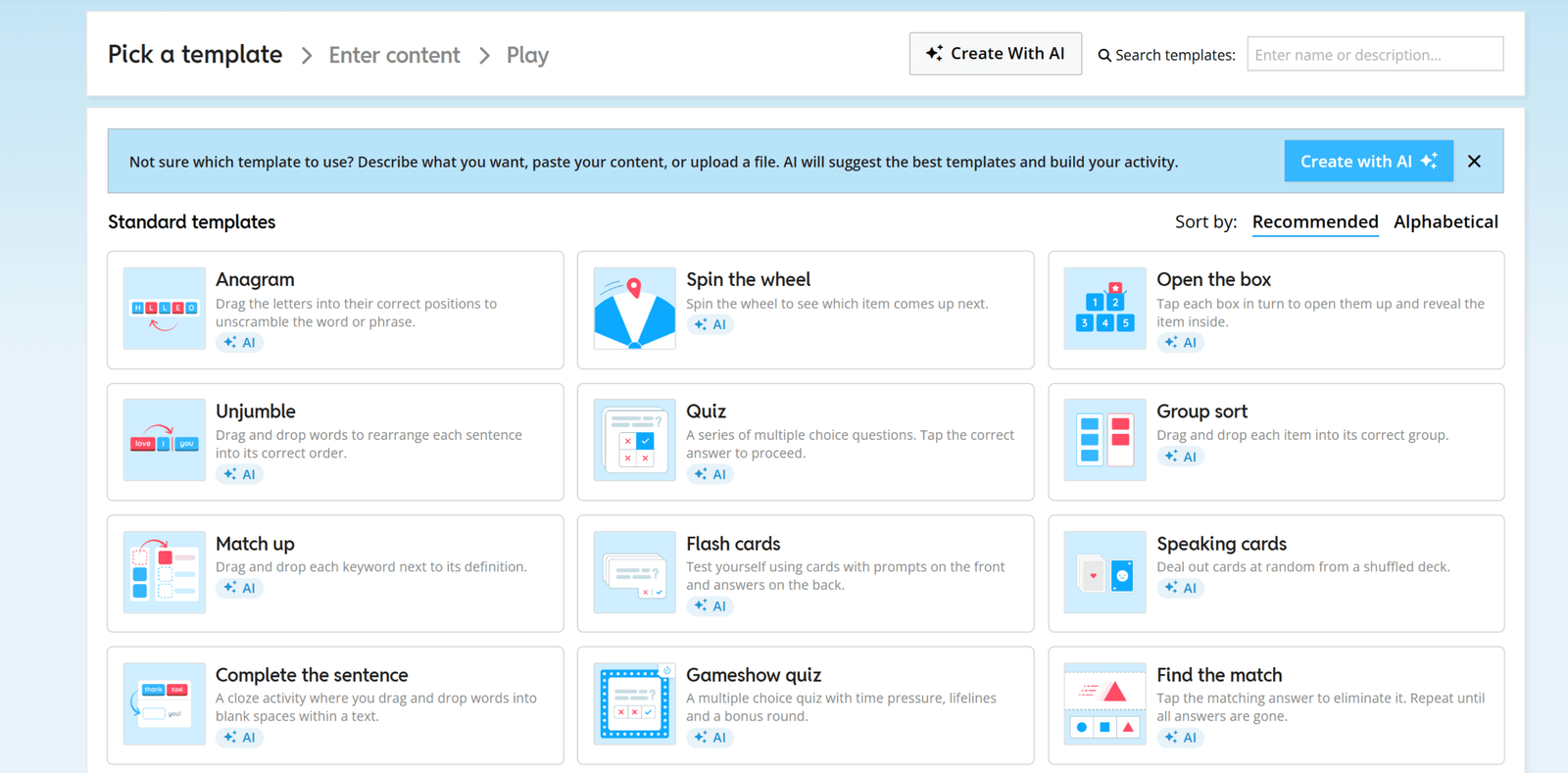
Wordwall helps teachers build interactive learning activities using ready-made game templates. Instead of designing activities from scratch, teachers simply enter their questions and answers, then choose a suitable template.
The platform is particularly useful for short review sessions, vocabulary practice, and knowledge reinforcement through games.
Key Features:
- Create matching games, random wheels, word games, and quizzes.
- Switch between supported activity templates.
- Explore resources shared by the Wordwall community.
- Share activities through a link.
Pros: Wordwall is easy to use, saves preparation time, and works well across different subjects and age groups.
Cons: The free plan limits the number of activities teachers can create. Customization options vary by template, and the platform is primarily designed for individual learning activities rather than full multimedia lesson development.
Best For: Teachers who want to quickly create vocabulary games, matching exercises, and short review activities.
Website: https://wordwall.net/
5. Blooket - Review and Practice with Different Game Modes
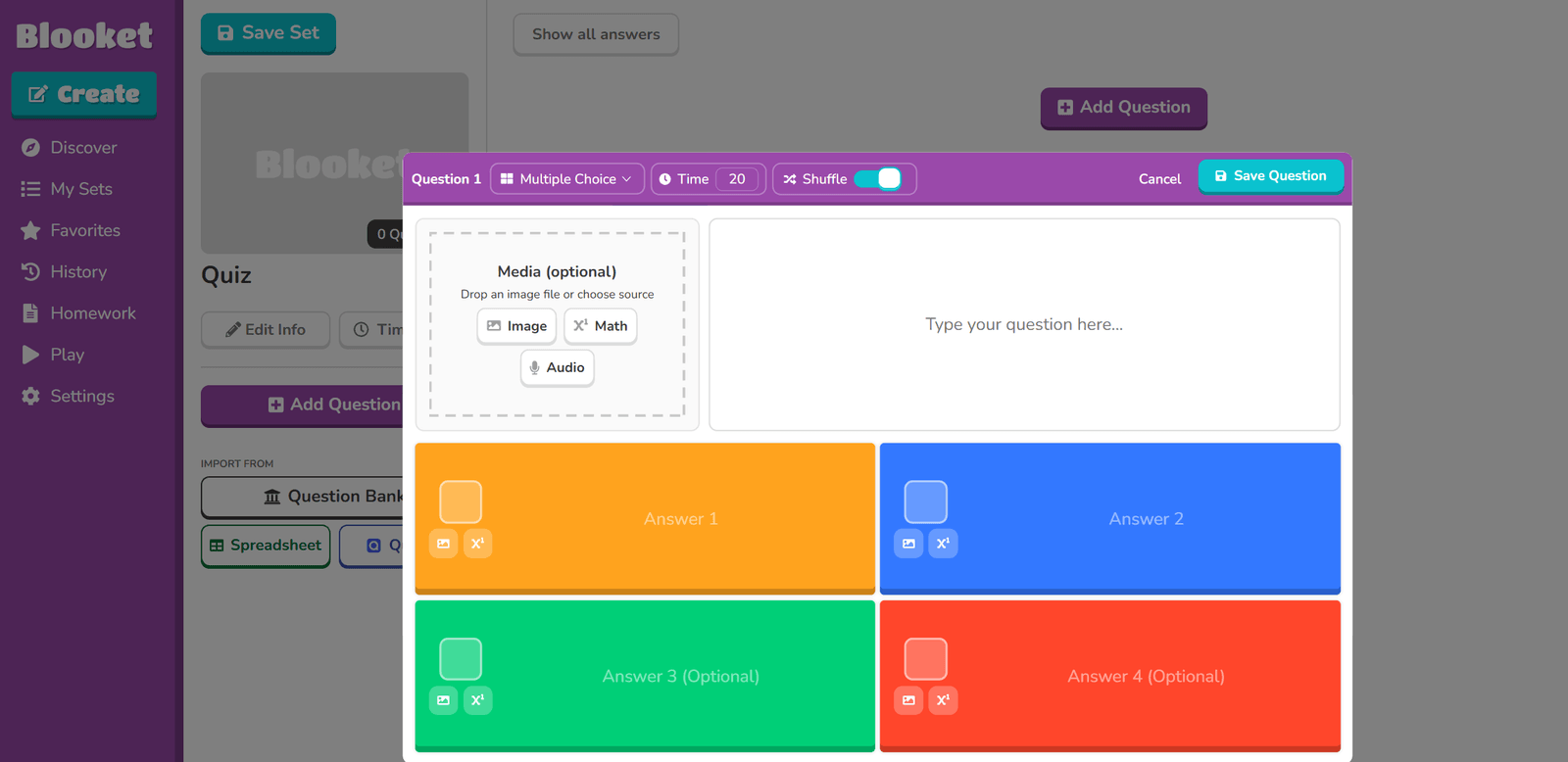
Blooket combines multiple-choice questions with different game modes, helping teachers turn review sessions into interactive learning experiences.
Teachers can create their own question sets or use existing content, then choose a game mode for students to play.
Key Features:
- Create question sets or explore existing content.
- Host activities using different game modes.
- Allow students to join games using a game code.
- Track student performance after activities.
Pros: Blooket offers a variety of game modes that make review sessions more exciting and encourage student participation. Teachers can reuse the same question sets across different activities.
Cons: Some game modes and advanced features require a paid subscription. The platform focuses primarily on quiz-based games rather than comprehensive multimedia lesson authoring.
Best For: Teachers who want to make review sessions more enjoyable through games, challenges, and friendly competition.
Website: https://www.blooket.com/
Comparison of 5 Free Online Quiz Makers
Each platform has its own strengths and limitations. The table below provides a quick comparison to help teachers choose the right tool for their needs.
Tool | Key Strengths | Notable Free Plan Limitations | Best For |
|---|---|---|---|
Kahoot! | Live quizzes, leaderboards, and competitive gameplay | Feature and participant limits vary by plan | Warm-ups, review sessions, classroom competitions |
uPresenter | AI-powered lesson and game creation, 14 question types, and learner progress tracking | Limited AI credits and advanced features | eLearning lessons, quizzes, games, and assessments |
Wayground | Gamified quizzes, assignments, and performance reports | Storage limits and restricted advanced features | Homework, reviews, and assessments |
Wordwall | Quizzes and games built from ready-made templates | Up to 3 activities using 12 basic templates | Vocabulary, matching, and review activities |
Blooket | Multiple game modes using reusable question sets | Some game modes and features require Plus | Review games and knowledge challenges |
Note: All five platforms offer free plans, but feature availability, storage limits, and participant limits may change over time or vary by region. Check each platform's official website for the latest details.
Which Online Quiz Maker Should You Choose?
The best tool depends on your teaching goals and the types of activities you want to create.
- For live classroom quiz games: Kahoot! and Blooket are great options for encouraging participation through friendly competition.
- For gamified assessments and assignments: Wayground is well suited for review activities, homework, and progress tracking.
- For quick games using ready-made templates: Wordwall helps teachers save time when creating interactive exercises.
- For custom learning games or quizzes embedded in lessons: uPresenter supports game development through the Claude/Codex Plugin and lets teachers integrate interactive activities directly into eLearning content.
If you only need a quick knowledge check, a simple online quiz maker may be enough. For more comprehensive lessons that combine multimedia content, interactive activities, and assessments, an eLearning authoring platform can provide greater flexibility.
Beyond Quizzes: Build Interactive Lessons with uPresenter
In addition to creating standalone quizzes, teachers can use uPresenter to develop interactive eLearning lessons that combine instructional content, questions, and engaging activities. This allows students to learn new concepts and practice what they've learned within the same lesson.
With AI-powered content creation, uPresenter also supports the development of custom learning games through the Claude/Codex Plugin, alongside tools for tracking learner progress and assessing performance.
Explore uPresenter – An AI-Powered Interactive eLearning Platform
Conclusion
Free online quiz makers give teachers different ways to make learning more interactive, from live quiz games and template-based activities to comprehensive eLearning lessons.
Each platform offers unique benefits, so the best choice depends on your teaching objectives, assessment needs, and preferred learning activities.